


Creating a host account is free and takes a couple of minutes. You can sign up with Google or with your email address — no password needed. It works the same in a desktop or mobile browser; there's no app to install.
What you'll need
An email address you check regularly, or a Google account.
Your business or venue name (you can change it later).
Create your account
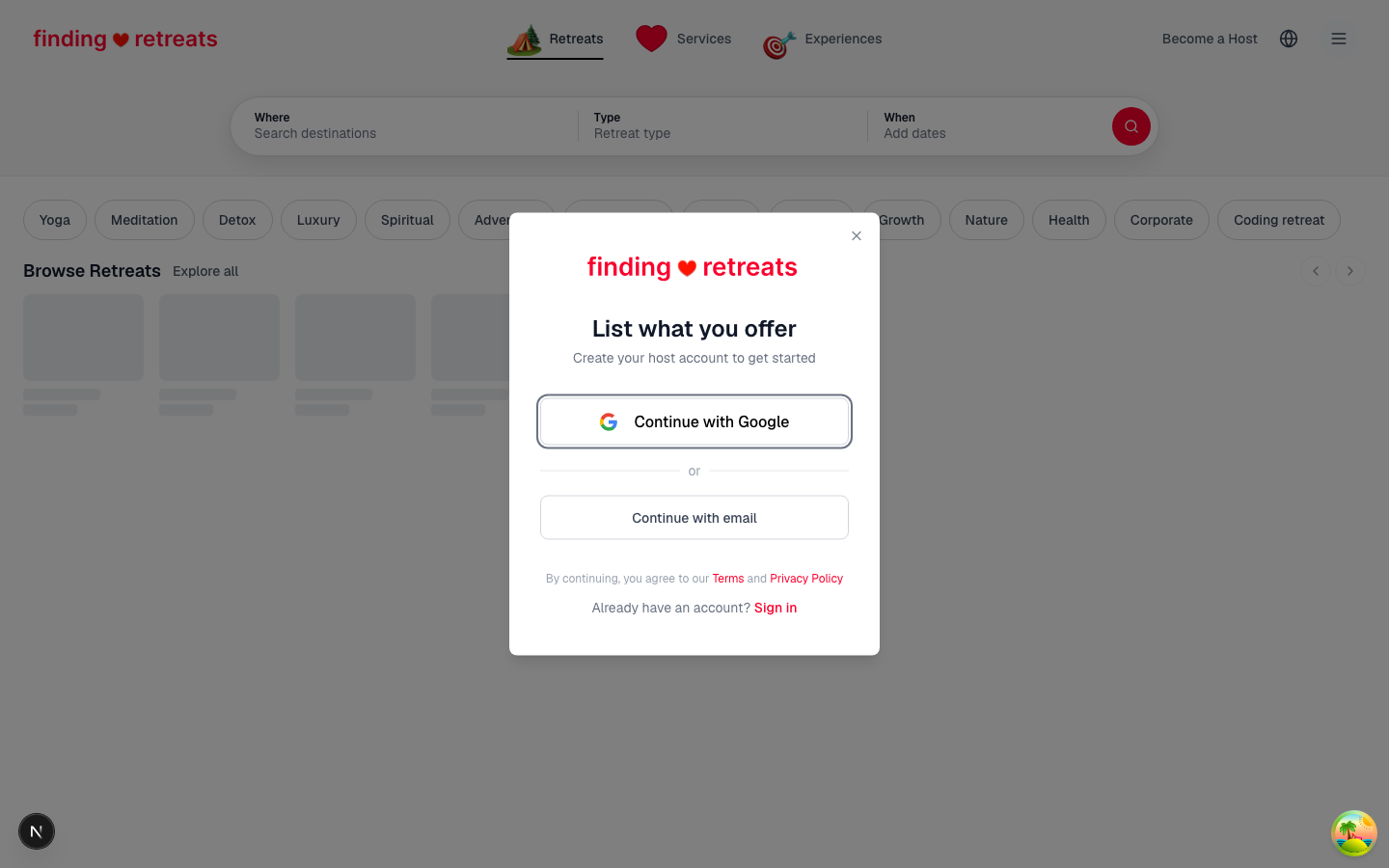
Go to findingretreats.com and click Become a Host in the top-right corner of the page. You can also open the host sign-up page directly.
Choose Continue with Google and pick your Google account, or choose Continue with email and enter your email address.
If you signed up with email, we send you a secure sign-in link — open your inbox and click it.
You land in the host setup, ready to go.
Complete your host setup
After your first sign-in, a short guided setup walks you through everything we need before your first listing:
Add a profile photo and confirm your name.
Accept the terms of service.
Choose what you host — retreats, wellness services or experiences.
Add your business details and build your first listing. Retreat hosts can import an existing listing from Book Yoga Retreats or add everything manually.
You can Save and exit at any point — the next time you sign in, you'll resume exactly where you left off.
Already have a guest account?
You don't need a second account. Sign in as usual, open your dashboard menu and choose Become a Host — your existing account is upgraded to a host account and keeps all your bookings and messages.
Tips
If the sign-in link doesn't arrive within a minute or two, check your spam folder. The sender is [email protected].